Creating APIs in NodeJS
For this guide, we will use express to create the APIs.
Installation
We begin creating a folder for working this guide and installing the express library.
mkdir myapi
cd myapi
touch index.js
npm init
code .
Now we have our project opened with VSCode. Let go back to the terminal and install our express module.
npm install express --save
Let begin by creating a basic API that returns a "Hello World!" message. We will use this using the syntax provided by express.
Breaking down (and tunning) the express hello world example
Let's start editing our index.js file. The first thing we need to do is import the express module. We will use the old notation for importing modules, in other words, we will use the require statement for importing modules.
// index.js
const express = require('express');
After that, let's create the app with the express function that we imported.
const app = express();
The variable app will contain the definitions of our APIs and the details of the Application Server that is going to run them, for example, the port number. Let's store that value in a variable so we can use it later.
const port = 3000;
Let's start by defininf an API linked to a function that returns Hello World!. The function will be executed when we run GET /sayhi.
Let's start by linking the URL and the function.
app.get('sayhi', helloworld);
The function that will run for a specific URL, is also known in express as the callback function. It means "the function that will be executed".
Now, let's define the function. Since the function is going to be executed by the express framework when a URL is invoked, we can receive two parameters in there:
-
req: Store details of the request, for example, the IP of the computer that made the request, data sent from the client, etc. -
res: It's a variable that will be used to send the response to the client. Specifically, its functionsend(). We will include the response inside the parantesis of thesendfunction.
function helloworld(req, res){
  // Your code ...
}
Now we can use the function send to return a response. Let's return "Hello World".
function helloworld(req, res){
  res.send("Hello World");
}
Finally, we need to tell the app in which port will it run. Let's use the variable port that we defined before...
As you can see, we have specified the function serverCreated as the callback function for the app server configuration. In other words, the serverCreated function will be executed when the app is initialized succesfully.
In express (and in javascript in general) you will use callback functions A LOT. They represent the function that is executed when something finishes successfully.
One way to avoid the definition of a function, is to use an anonymous function. An anonymous function is declared in the same place where it would be invoked. For example, instead of having the create a function serverCreated we could just had done:
app.listen(port, function(){
  // here goes the code you were going
  // to include in your function serverCreated
})
Another syntax for creating anonymous functions is the next one:
app.listen(port, () => {
  // here goes the code you were going
  // to include in your function serverCreated
})
Testing our API
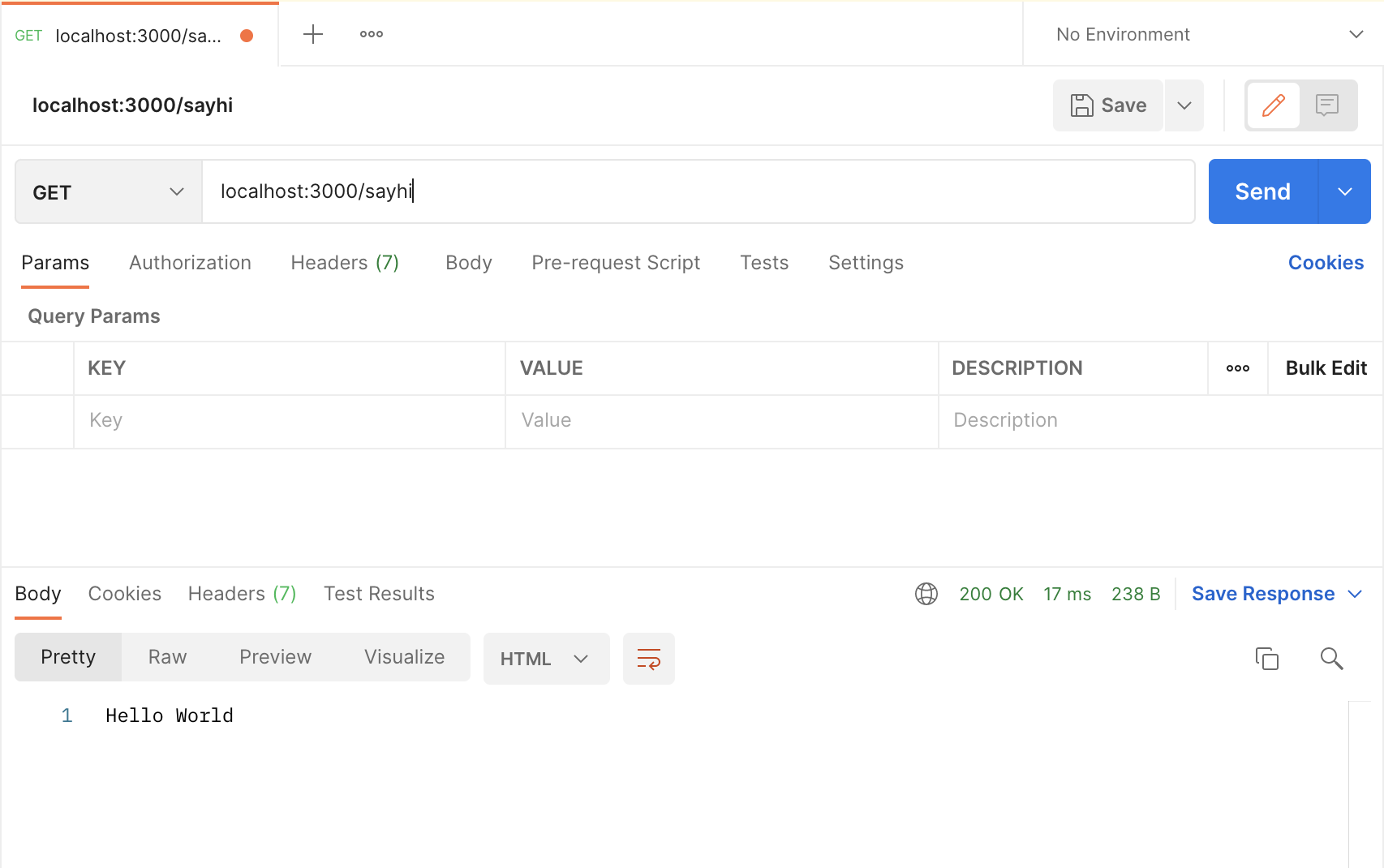
We will use Postman for this. Let's open Postman and use the following information:
- Method:
GET - Hostname:
localhost:3000 - Endpoint:
/sayhi