Deployment in Simulator or Device
First we need the following dependencies:
npm install -g @ionic/cli native-run cordova-res
For deploying our app in a mobile device, we need to first build the project
ionic build
iOS
If you are using Xcode for the first time, you may need to install the Xcode Development Tools:
xcode-install
We generate the iOS project
ionic cap add ios
And we can open the project in Xcode with the following command:
ionic cap open ios
You can read the following link for common issues when installing dependencies or generation iOS project.
Deploying in a device
- If you want to deploy the app in you mobile device, you will need to create a team and select a valid bundle name
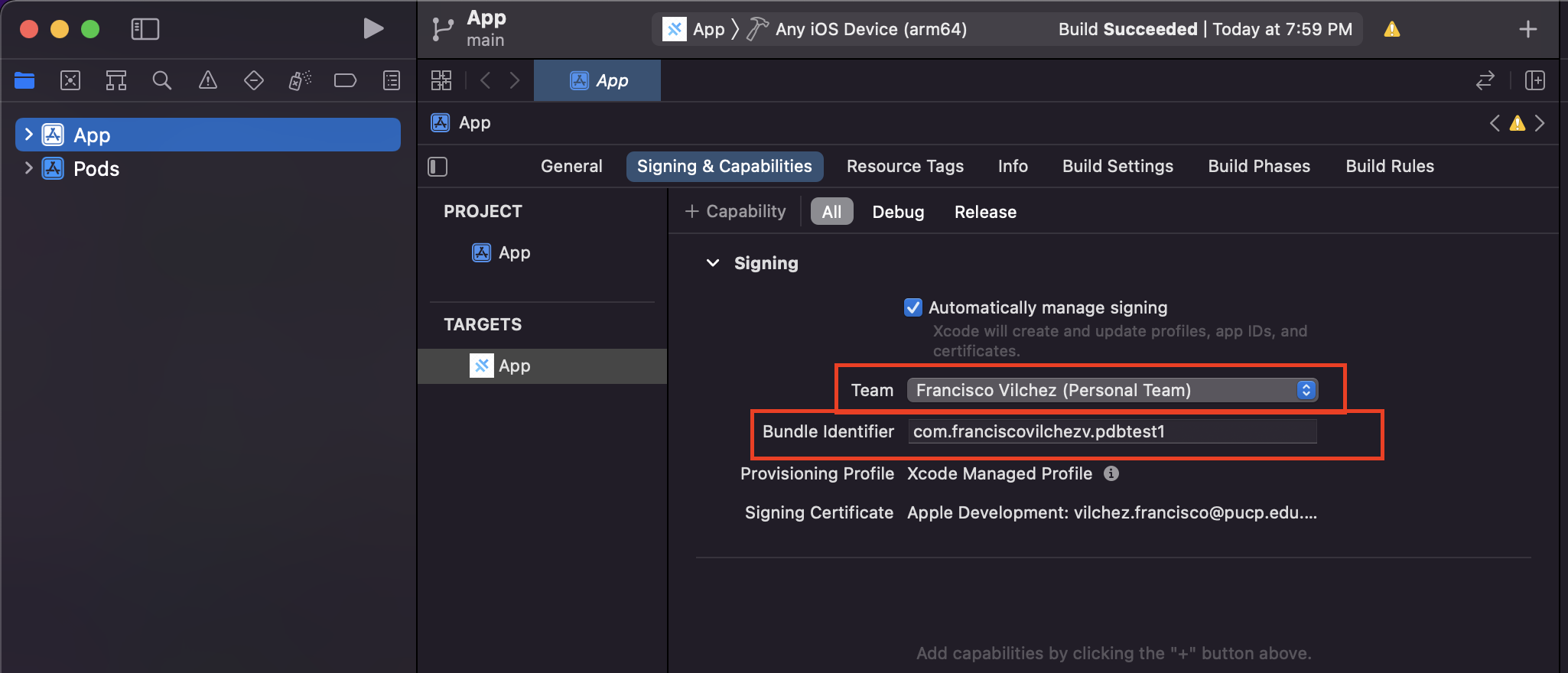
- Additionally, in your mobile device, you must trust the application deployed under
Settings > Configuration > Profile and Device.
Android
If you are working on windows, you need to do the following steps using a native terminal, e.g. GitBash, CMD, PowerShell, etc... i.e. Ubuntu WSL will not work
You may have to install the following dependency before anything.
Additionally, you may need to update your Android Studio SDKs.
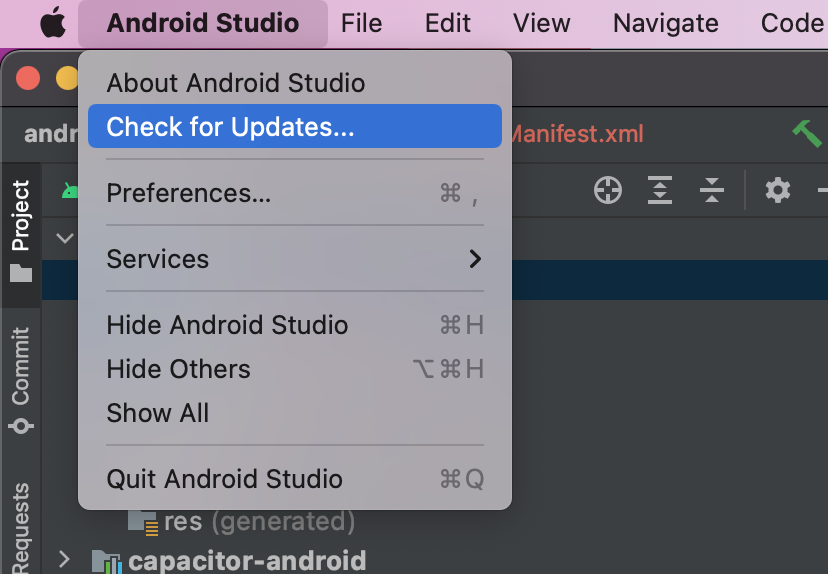
We generate the Android project
ionic cap add android
We can now open the project in Android Studio with the following command:
ionic cap open android
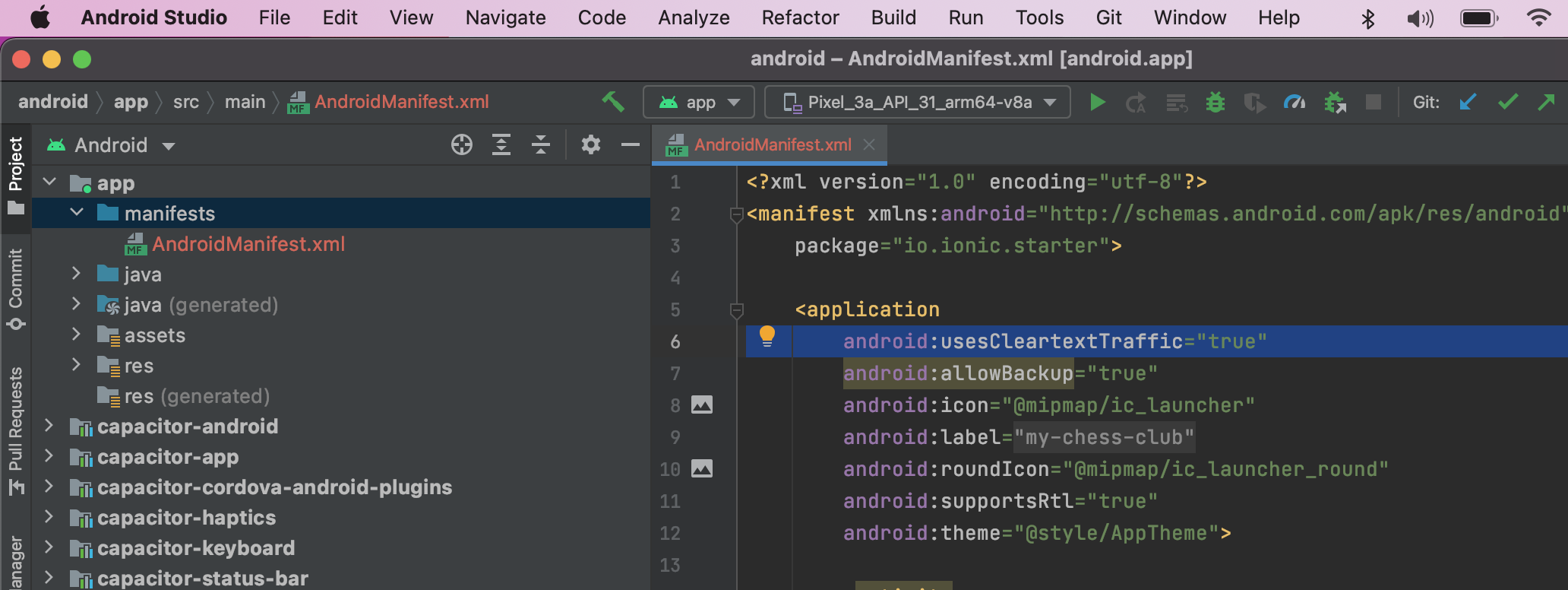
You may need to add android:usesCleartextTraffic="true" in your app/manifests/AndroidManifest.xml in order to allow HTTP requests for you app:
Deploying in a device
Help wanted.
Testing with our backend
Since we are running our backend locally (e.g. locahost:3000), the mobile device won't recognize our backend as localhost. If our phone shares the same network as our backend, then we can change the calls to the IP of the computer instead. You can use the following command to view your local ip:
ifconfig